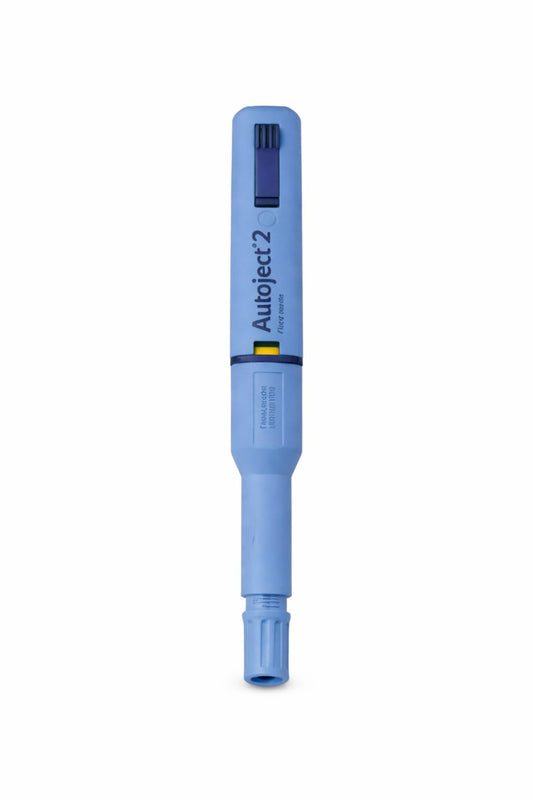










Diabetic care products collection for budget troubleshooting of fit and safety.

Troubleshoot fit, safety and performance in your diabetic care products collection. Practical fixes, maintenance and compatibility tips tailored for people in
Diabetic Care Products Collection fixes and troubleshooting is the focus of this guide.
Introduction: start with the symptom, not the brand
When a meter misreads, a lancet causes unexpected pain, or a pump belt rubs raw after an hour of wear, the obvious impulse is to blame the device. Effective troubleshooting begins with the symptom: what exactly happened, when, and under what conditions? This article focuses on Diabetic Care Products Collection fixes and troubleshooting for everyday issues affecting fit, safety and performance across consumer supplies used in Canada.
Written for people living with diabetes and caregivers, this piece blends practical tips, material science context, seasonal performance notes and a maintenance checklist. It also includes product-specific suggestions from the Ariavit diabetic care products collection and links to deeper safety and budgeting resources. Content is informed by consumer health writing best practices and reviewed with input from a Canadian certified diabetes educator and a practising pharmacist to ensure responsible, evidence-aware guidance. Always confirm device-specific actions with your clinic or diabetes educator before changing routine.
Quick symptom checklist: identify the problem fast
Before troubleshooting, run a short checklist. Note the answers and keep them near your supplies; having a record helps when you contact support or a healthcare professional.
- Which device showed the issue? (meter, test strip, lancet, pump belt, CGM, insulin pump)
- When did it occur? (during exercise, after bathing, in cold weather)
- Any visible damage or residue on the device, strip or adhesive?
- Is the problem repeatable or one-off?
- Have you checked expiration dates, battery level, and storage conditions?
Troubleshooting by device and symptom
Meters reporting inconsistent or obviously wrong values
Symptoms: wild swings between tests, readings that don’t match symptoms, or a meter that won’t turn on. Common causes include low battery, expired or incompatible test strips, contaminated test strips, or meter damage from drops or moisture.
Step-by-step fixes:
- Check battery level and replace or recharge per the manual. Low power can affect display and data logging.
- Confirm the test strip lot and expiry; if strips are expired, discard them. For OneTouch meters and compatible strips, ensure compatibility. If you need a reliable meter replacement or want to cross-check readings, consider a modern meter such as theOneTouch Verio Flex Meter, which is designed for straightforward SMBG (self-monitoring of blood glucose).
- Perform a control solution test if your meter supports it. Control solution checks meter and strip performance without relying on blood.
- Clean the meter port and contacts carefully with a lint-free cloth and recommended cleaner (avoid alcohol on strip ports unless the manual allows it).
- Test with a fresh finger and proper sampling technique: warm your hand, wipe away the first drop if recommended, and apply a sufficient droplet to the strip.
Test strips not fitting or returning error messages
Symptoms: strips that feel loose in the port, unreadable codes, or meter error codes. Many meters require specific strip geometry and barcoding for calibration.
Troubleshooting steps:
- Confirm you have the correct strip type for your meter. Using generic strips that list compatibility (such asGeneric Blood Glucose Test Strips, 50 Count - OneTouch Compatible & Easy to Use) can be cost-effective, but always check that the physical shape and barcode scheme match your meter.
- Inspect strip storage: humidity and contaminants blunt or warp strips. Store in their original vial or a sealed container at recommended temperatures.
- Try a different strip from the same pack or a different vial. If a single strip is deformed, discard it and retest.
- Refer to the meter manual for specific error codes; some are resolved by removing and reinserting the strip or powering the meter off and on.
Painful or inconsistent lancing (finger-prick) results
Recommended products:OneTouch Verio Flex Meter | Verio-Flex Blood Glucose System (Meter Only)|Spoonie Threads Double Pocket Belt - T1D Insulin Pump, Glucose Monitor, Smartphone | Brown (Youth 1)
Symptoms: lancets that sting excessively, are difficult to depress, or cause inconsistent blood drops.
Fixes and product guidance:
- Check lancet gauge: higher gauge numbers indicate finer needles. Unistik 3 Safety Lancets 28G (Unistik 3 Safety Lancets 28G - 200 Count) are a common option that balance comfort and reliable blood flow. If 28G still hurts, consider trying a 30G or a device with adjustable depth.
- Rotate puncture sites and alternate fingers or use the sides of fingers to reduce callousing and pain.
- Warm the hand and use gentle massage or shake to encourage blood flow; avoid excessive squeezing as that can dilute the sample with tissue fluid.
- Confirm lancet and lancing device compatibility. Misfitted lancets can jam or fail to trigger properly.
Skin irritation, adhesive lifting, or pump belt discomfort
Symptoms: adhesives peeling, red or itchy sites, chafing under belts or patches, or belts that slip during activity.
Practical fixes:
- Clean and dry the skin before applying adhesives; avoid lotions that leave residue.
- Test a small skin patch for adhesive sensitivity. If irritation occurs, switch adhesive types (silicone-based adhesives are often gentler) or use a barrier wipe recommended by your clinician.
- For pump belts and accessory fit issues, try a purpose-built belt sized for your body. Youth and adult sizes differ; for example theSpoonie Threads Double Pocket Belt - T1D Insulin Pump, Glucose Monitor, Smartphone | Brown (Youth 1)is designed for secure placement of a pump, monitor and phone for smaller bodies.
- Adjust belt position during activity to reduce friction; position devices where they sit naturally with your movement and consider breathable fabrics to reduce sweat buildup.
- If adhesive lifting is frequent, check that you’re not applying the patch over skin folds, stretches, or scars. Use adhesive reinforcement patches or medical tape as recommended.
Material and technology science: why these fixes work
Understanding a little about materials and how devices work helps troubleshooting. Meters use electrochemical sensors that measure electrical current generated by glucose in the blood reacting with enzymes on the strip. Test strip performance depends on the enzyme chemistry, membrane integrity and correct sample volume.
Lancet gauges are a trade-off between penetration (blood yield) and perceived pain. The gauge number is inversely proportional to thickness: 28G is thicker than 30G. Many manufacturers balance comfort with reliable blood volume; fine needles reduce pain but may require deeper puncture settings for consistent drops.
Adhesives on patches and belts rely on polymer chemistry. Silicone adhesives tend to be gentler on sensitive skin and withstand sweat better, while acrylic adhesives adhere strongly to oily skin or during heavy activity but can cause irritation in sensitive individuals. Breathable textile design in belts reduces trapped moisture and friction.
Climate and seasonal impacts on performance
Canada’s wide temperature range affects diabetic devices:
- Cold weather can slow blood flow to fingers, making lancet sampling harder and increasing false low readings if the meter is below recommended operating temperature.
- Heat and humidity can reduce adhesive life and warp plastic components over time.
- Rapid temperature swings - carrying a meter from a cold outdoor setting into a warm car - can cause condensation in ports and affect electronics temporarily.
Mitigations:
- Warm hands before sampling: rub between palms or use warm water (dry thoroughly).
- Keep test strips and meters in an inside pocket near your body in cold weather to maintain operating temperature, but avoid storing in direct sunlight or high heat.
- Replace adhesive patches more frequently during hot, sweaty months and choose breathable belts for summer activities.
Safety warnings and usage limits
Safety is paramount. Follow these general rules:
- Never reuse single-use lancets or strips; used lancets are a sharps hazard and increase infection risk.
- Dispose of lancets and used devices in approved sharps containers per provincial guidelines. Many pharmacies in Canada accept sealed sharps containers for safe disposal.
- Do not attempt to open or modify meters or strips; tampering can void warranties and create safety risks.
- Check expiry dates and storage recommendations on packaging. Strips exposed to humidity may give unreliable results.
- If you have allergies or sensitive skin, consult your clinician before switching adhesives or tapes; consider barrier wipes and dermatologist-tested products.
Maintenance and care checklist
Keeping devices in top condition prevents many problems. Use this step-by-step care checklist weekly and before travel:
- Inspect meter housing and strip port for debris; clean with a dry lint-free cloth. Use manufacturer-approved cleaners sparingly.
- Check batteries or charge level and carry spares when travelling.
- Rotate lancets and dispose of used ones promptly in a sharps container.
- Store test strips in original vials, close the cap tightly, and keep away from moisture and heat.
- Check adhesives for residue on skin; use recommended remover wipes if needed and moisturize between sites to avoid skin breakdown.
- Log repeat errors, unusual readings or recurring fit issues and bring this record to your next diabetes clinic appointment.
Practical vs checklist: choosing the right item for fit and safety
Use this quick vs checklist when replacing or adding a product from the diabetic care products collection. Tick boxes that matter most to you.
| Feature | Priority (High/Medium/Low) | Notes |
|---|---|---|
| Compatibility with your meter | High | Ensure strip geometry and calibration match the meter model. |
| Comfort (lancet gauge/patch adhesive) | High | Try a sample pack or smaller gauge if pain is a concern. |
| Durability for activity | Medium | Look for breathable belts and sweat-resistant adhesives for active days. |
| Storage requirements | Medium | Strips often require stable temperatures; check expiry and storage ranges. |
| Cost and availability in Canada | Medium | Consider generic compatible strips or multi-count lancets for savings. |
Compatibility guidance and when to replace
Compatibility and quality are different ideas. A compatible test strip can offer major savings, but compatibility does not guarantee the same performance or interchangeability of features (for example, some strips support alternate site testing, others do not). When a product repeatedly causes issues despite proper technique and storage, it’s time to replace it.
Replace when:
- Device shows physical damage (cracks, water intrusion, frayed cords).
- Readings remain inconsistent after control tests and following troubleshooting steps.
- Adhesives regularly fail within a day or cause skin breakdown.
- Products are past expiry date or stored outside recommended conditions.
If you’re looking to update or cross-check kit pieces, consult the Ariavit selection of supplies for compatible options. For comprehensive choices in one place, explore theDiabetic care products collectionwhich lists meters, belts, test strips and lancets together to help you match items by compatibility and features. You can alsobrowse the diabetic care products collectionto compare sizes and product types suited for travel or daily wear.
Product-specific notes and when to test alternatives
Here are practical, product-aware notes when troubleshooting failures or considering alternatives.
- Meters: If the meter has a firmware or software update feature, check manufacturer channels for updates. When accuracy is in doubt, compare against a trusted meter like theOneTouch Verio Flex Meterand discuss differences with your care team.
- Test strips: If you use compatible or generic strips, such as theGeneric Blood Glucose Test Strips, 50 Count - OneTouch Compatible & Easy to Use, keep a factory-sealed vial as a control supply and compare results with the original brand periodically.
- Lancets: For persistent pain, trial different gauges or a lancing device with adjustable depth. TheUnistik 3 Safety Lancets 28Gare an option known for consistent penetration and built-in safety retraction.
- Belts and accessories: Choose belt size by waist measurement and intended use. For smaller bodies or youth, consider youth-specific belts such as theSpoonie Threads Double Pocket Belt - T1D Insulin Pump, Glucose Monitor, Smartphone | Brown (Youth 1)to avoid slippage or direct skin chafing.
When to call for help: signs you need professional support
If troubleshooting steps don’t resolve the problem, escalate. Contact your device manufacturer for technical support, and reach out to your diabetes clinic if you suspect inaccurate readings could affect insulin dosing. Seek immediate medical attention for severe hypoglycaemia or hyperglycaemia symptoms regardless of device readings.
Keep a log of issues (time, device, steps taken, and outcomes) and bring it to appointments. For product-specific returns or warranty claims, having photos and a documented error history speeds resolution.
Resources, further reading and related posts
For safety-first use and daily routines, the Ariavit blog offers practical primers. Read about budget-conscious picks in this Canadian-focused guide:Budget diabetic care products collection with good quality and benefits in 2026 picks. For step-by-step daily safety practices, check the practical routine tips inHow do I use diabetic care products safely day to day practical tips for better routines?
For quick shopping or to compare compatible supplies, visit theDiabetic care products collection. If you prefer a focused search, consider filtering for specific needs such as youth belts, meter compatibility, or high-count lancet boxes within thediabetic care products collection. To review options for warm-weather adhesives or breathable belts, see the seasonal picks in theDiabetic care products collection.
Practical packing list for travel and emergencies
When traveling in Canada or abroad, prepare a compact kit to avoid troubleshooting under stress:
- Primary meter and at least one backup meter or redundant test strips; consider carrying a meter like theOneTouch Verio Flex Meteras a reliable spare.
- Extra test strips in sealed vials, plus a small desiccant pack to reduce humidity risk.
- Spare lancets and a small sharps container for travel (check local disposal rules at destination).
- Adhesive reinforcements, spare pump belt or pouch, and barrier wipes for skin prep.
- Printed copies of device manuals or a saved PDF on your phone; manufacturer support contact details; and a concise log template for recording issues while away.
FAQ
Why does my meter give different readings than my continuous glucose monitor (CGM)?
Fingerstick meters measure blood glucose directly from capillary blood, while CGMs measure interstitial glucose which can lag behind blood glucose by several minutes, especially during rapid changes (exercise, meals). Always follow your clinic’s guidance when using meter results for insulin dosing and treat discordance as a signal to retest and review technique and sensor placement.
How do I know if a generic test strip is safe to use with my meter?
Check the product description for explicit compatibility with your meter model and look for packaging that lists compatible meter brands and lot testing. After switching to a generic strip, perform control solution checks and compare several paired tests with your previous strip or a trusted meter to confirm comparable results before relying on it for dosing decisions.
My adhesive always lifts during exercise. What helps it stick longer?
Clean, dry skin is the baseline. Use barrier wipes that remove oils, and try silicone-based adhesives or reinforcement patches. Breathable fabric belts and positioning devices to reduce direct friction help. Reapplication and brief adhesive patches before long workouts can prevent premature lifting.
Are higher gauge lancets always less painful?
Not always. Higher gauge (larger number) indicates a thinner needle, often reducing pain, but may yield less blood and require deeper punctures. Try smaller steps (e.g., from 28G to 30G) and adjust your lancing device depth rather than changing gauge in one step.
Action plan: six steps to resolve common fit and safety problems
- Identify and record the symptom immediately (time, device, activity).
- Check power, expiry and storage conditions for strips and meters.
- Run control tests and compare with an alternate meter if available.
- Adjust adhesive, belt fit or lancing depth as indicated by the symptom.
- Keep a one-week log; if problems persist, contact manufacturer support and your diabetes clinic.
- Replace items that are damaged, out-of-spec, or repeatedly problematic; explore compatible options in thediabetic care products collectionbuilt to address fit and performance needs.
Final notes and Canadian context
In Canada, provincial and federal health resources provide guidance on sharps disposal and medical device safety. Local diabetes educators and pharmacists are practical sources of help for compatibility questions and hands-on technique coaching. If cost is a concern, review budget-friendly options and evidence-based picks on the Ariavit blog and budget guides to balance quality, safety and affordability.
For a curated selection designed to reduce fit and safety headaches, visit theDiabetic care products collection. If you’re focusing on everyday safe use while keeping costs manageable, thebudget diabetic care products collectionpost highlights practical options and the benefits of choosing compatible supplies. For routine safe use advice, consult the safety routine tips inHow do I use diabetic care products safely.
Whether you’re troubleshooting a single problem or updating your entire kit, this issue-first approach - start with the symptom, verify basics, and escalate with evidence - will help keep your diabetes care reliable, safe and comfortable.
Recommended products:Unistik 3 Safety Lancets 28G - 200 Count | Comfort Zone Technology|Generic Blood Glucose Test Strips, 50 Count - OneTouch Compatible & Easy to Use